Create a collection
A collection is the top level of a shared data tree. It holds folders, and the folders hold slides and other items. Use a collection for a project, a study, or any group of data that should share one set of permissions.
Before you start
- You are signed in. If not, start with Connect to a DSA server.
- You can create a collection on this server. On most instances any signed-in user can; if the button is missing, ask an administrator.
Collections are separate from My folders, your personal space. Use a collection when other people need access; use My folders for scratch work.
1. Open the Collections list
Select Collections in the top navigation. The page lists the collections you can read.
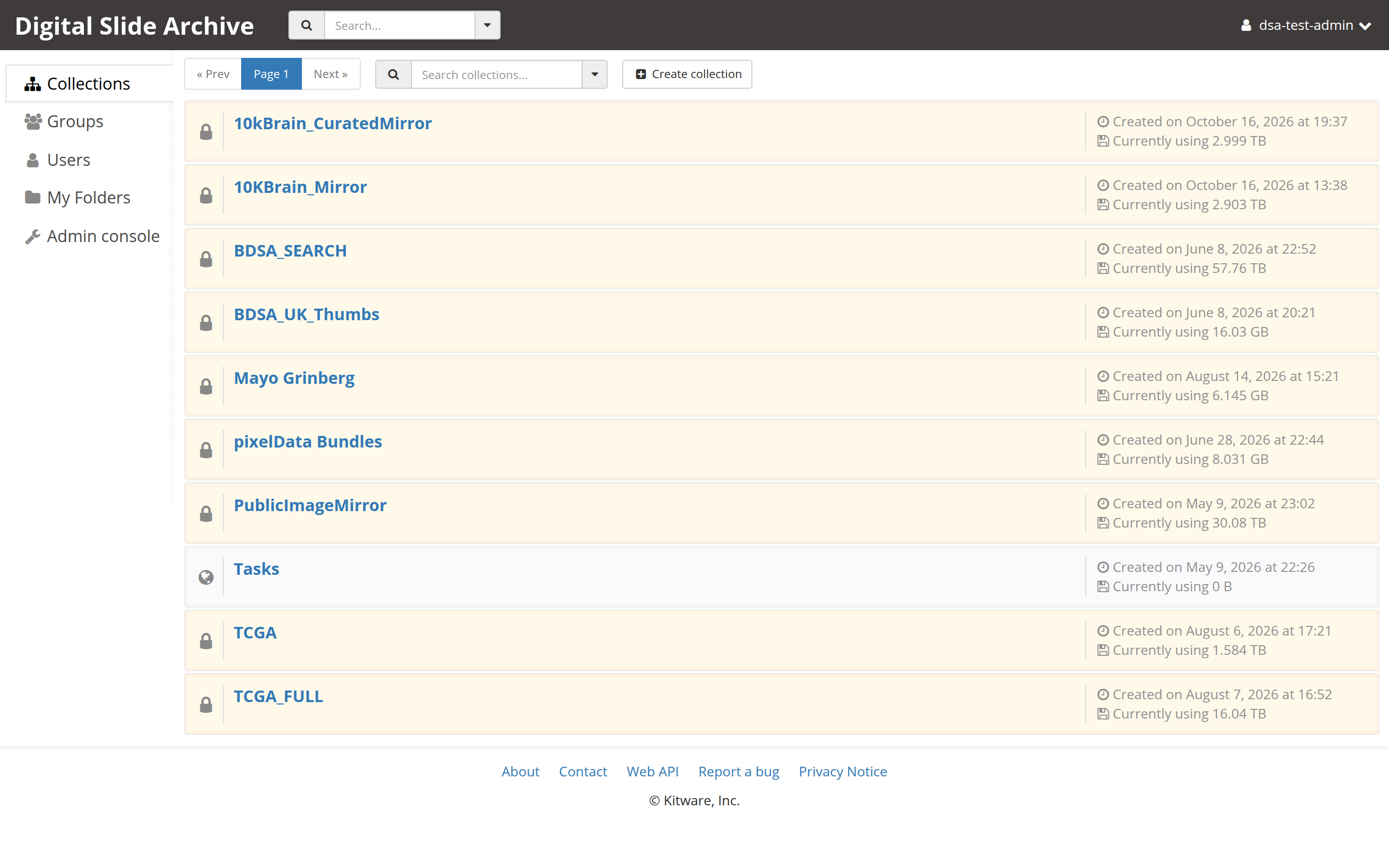
2. Choose "Create collection"
Select Create collection at the right end of the toolbar above the list.
The Create collection dialog opens with two fields:
- Name — required. Use a short, stable name such as
kidney-study-2026. - Description (optional) — free text shown on the collection page.
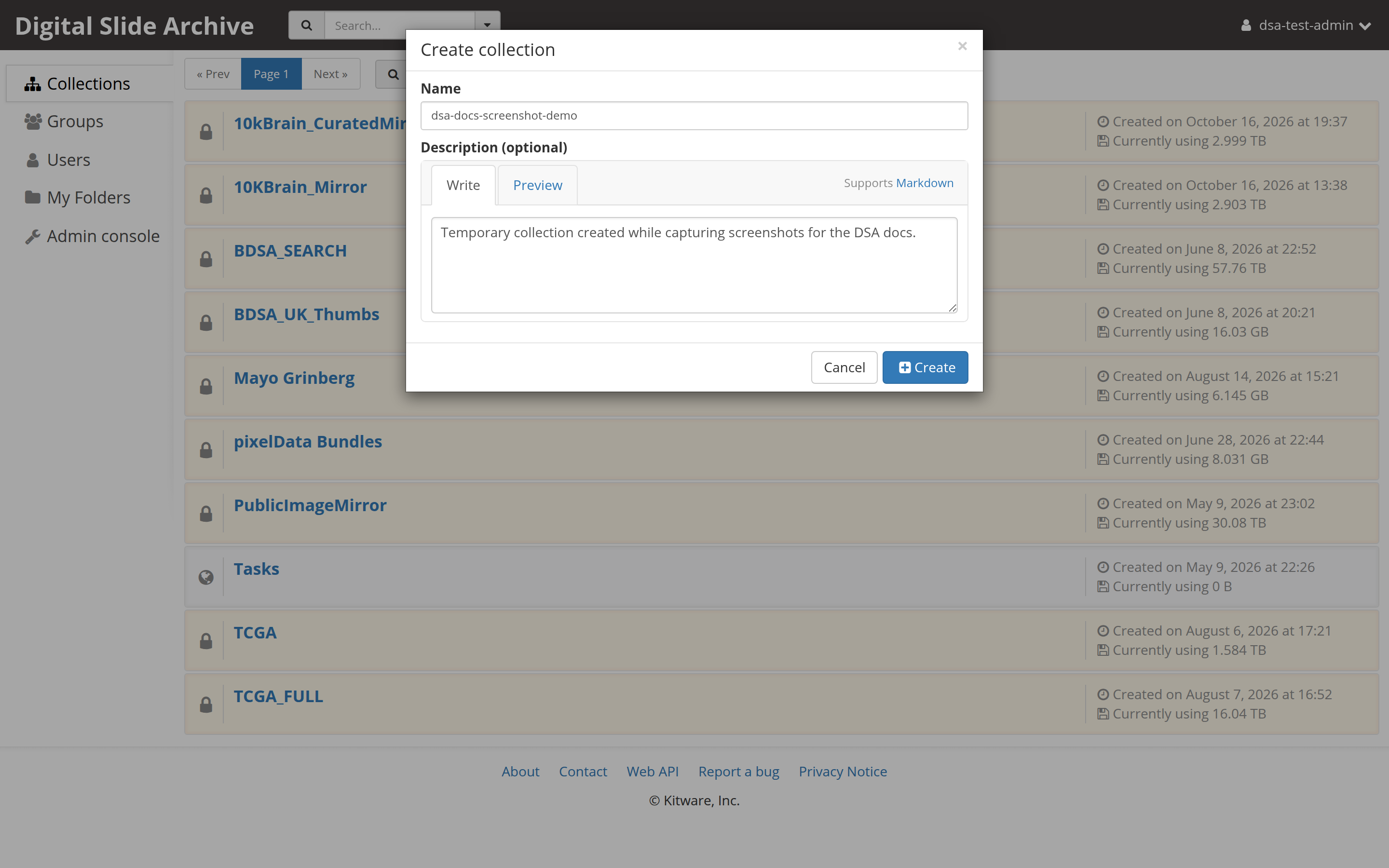
3. Create it
Select Create. The dialog closes and the new collection opens.
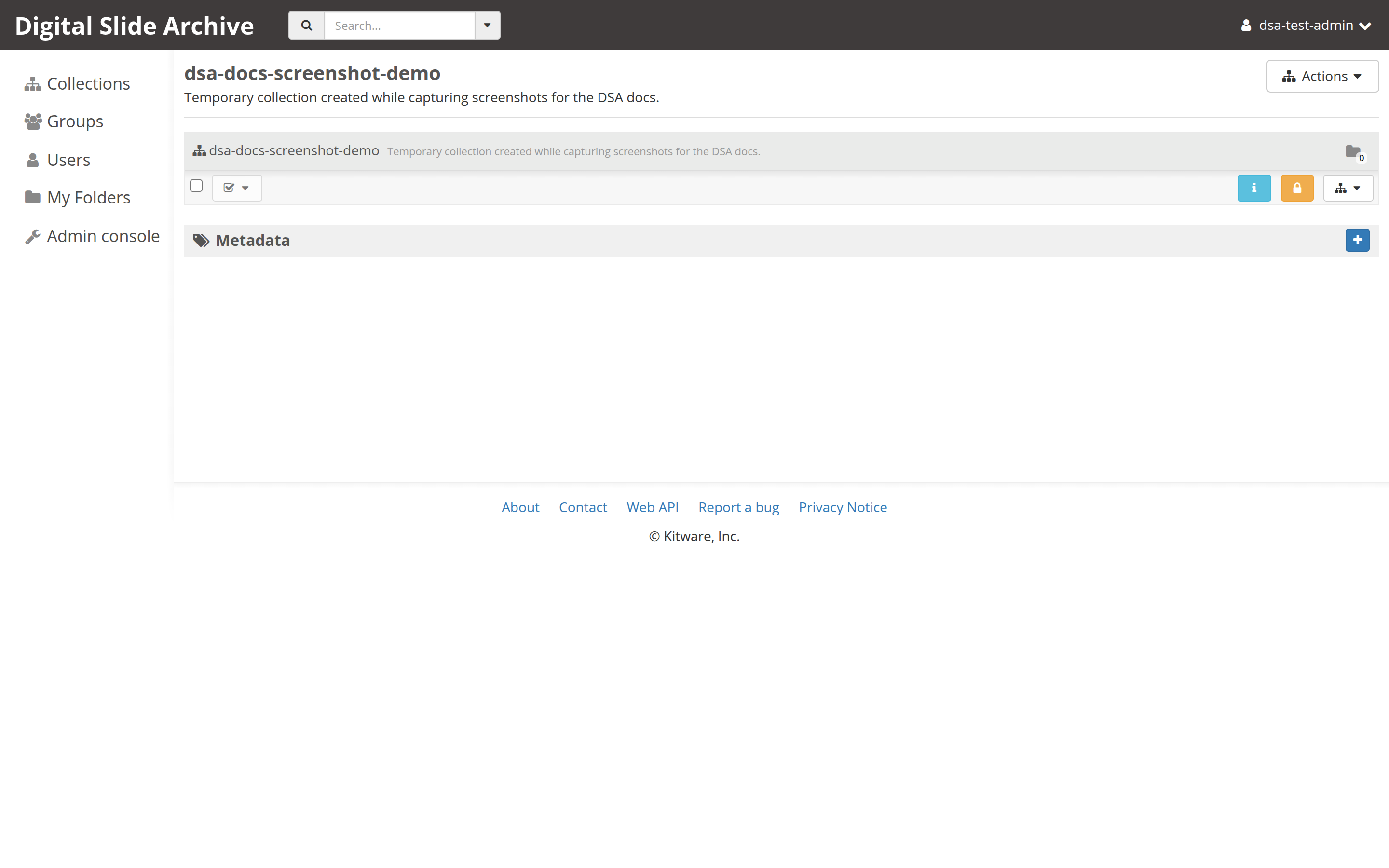
A new collection is private by default: only you can see it until you grant access. To share it, open the collection's action menu and select Access control, then add users or groups.
4. Verify the result
- The breadcrumb reads
Collections / <your collection name>. - The browser address changes to a
#collection/<id>route. - The action menu for the collection offers Edit collection and Access control.
- The collection appears in the Collections list when you go back.
5. Add the first folder
- Open the collection's action menu — the icon-only button with a small triangle at the right end of the action bar.
- Select Create folder here.
- Enter a Name and select Create.
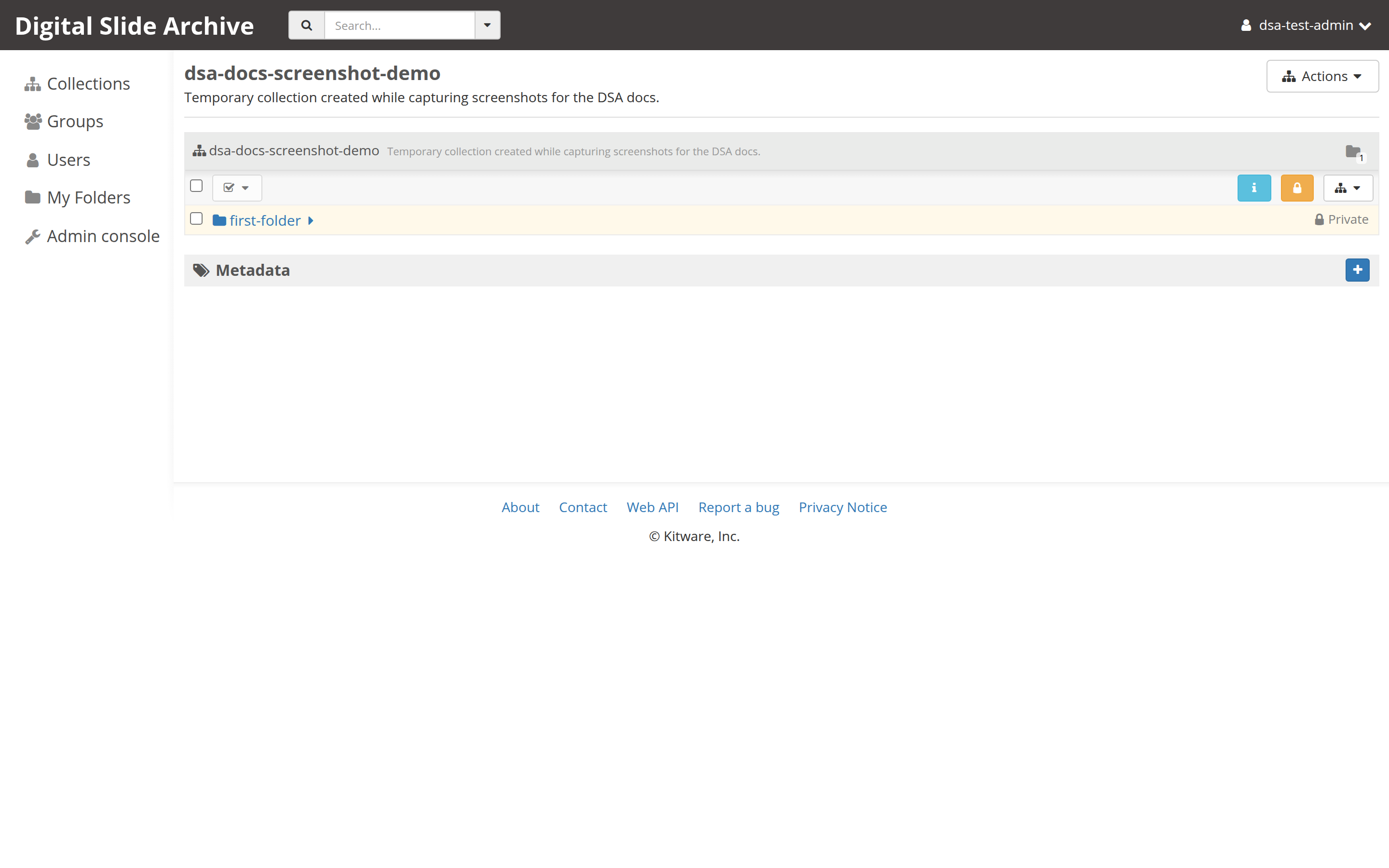
Continue with Create a folder for the details, or go straight to Copy an item once you have two folders.
Troubleshooting
| Symptom | Likely cause | Fix |
|---|---|---|
| There is no Create collection button | You are not signed in, or the server restricts collection creation | Sign in. If it is still missing, ask an administrator to create the collection or grant permission. |
| The Create button stays disabled | Name is empty | Enter a name. |
| Nobody else can see the collection | New collections are private | Open Access control and grant read access to the people or groups who need it. |
| Two collections have the same name | Duplicate names are allowed | Rename one with Edit collection, or use a naming convention. |
| You cannot delete the collection | You do not have admin access to it | Ask the collection owner, or an administrator, to delete it. |
Next
Verified status
Live-tested end to end on 2026-11-01 against https://pub-data.bdsa.io/
(Girder API 5.0.20.dev2+ge191b30e7) with an administrator test account. The
Collections list, the Create collection dialog, collection creation, and
creation of the first folder all succeeded. The test collection was deleted
afterward, so the screenshots contain no real study data.
On this instance collection creation is administrator-only: a non-admin test account saw the dialog but received "You are not authorized to create collections." If the Create collection button is missing for you, ask an administrator for that permission; the rest of the flow is unchanged.